If you need to mass-email parents, you can save a lot of time by using Word’s e-mail merge feature!
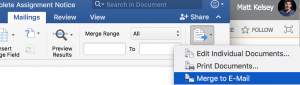
To do this, you need to
- Create a spreadsheet containing the students with incompletes, the name of the assignment, and their parent email, each in its own column. You can download this information from sqlReports 4.
- Set up your mail account in Outlook for Mac.
- Make sure Outlook is your default mail program – use Apple Mail.app to change it if necessary.
- Write your form letter in Word.
- Do a mail merge by telling Word to look at the spreadsheet you created in step 1, and then inserting merge fields.
- Use the Merge to E-Mail button to send out all of your emails.
See the video below to see all of these steps in action.